


In The Box
Check the contents before you begin.
 Piri Portable
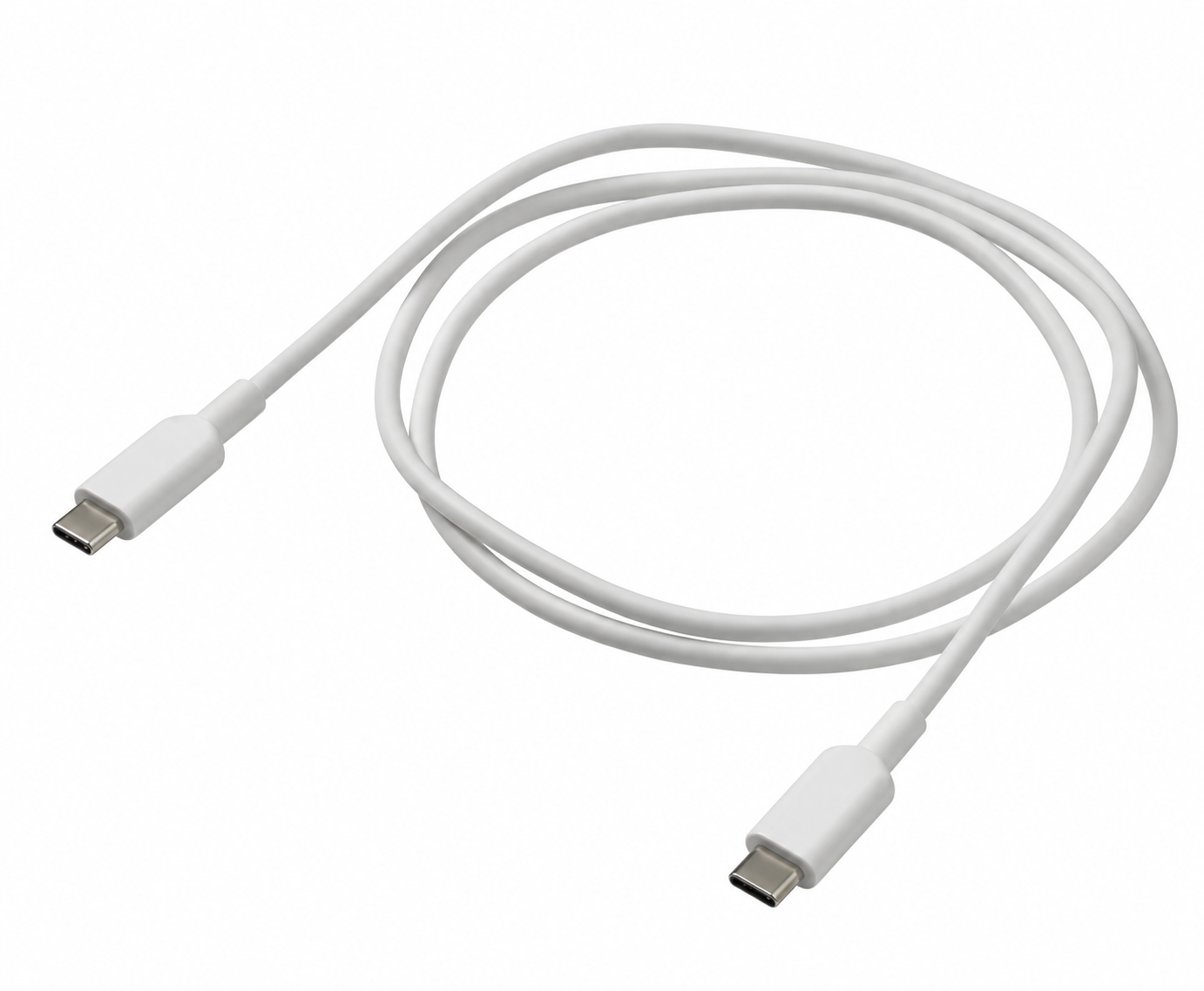 Charging Cable
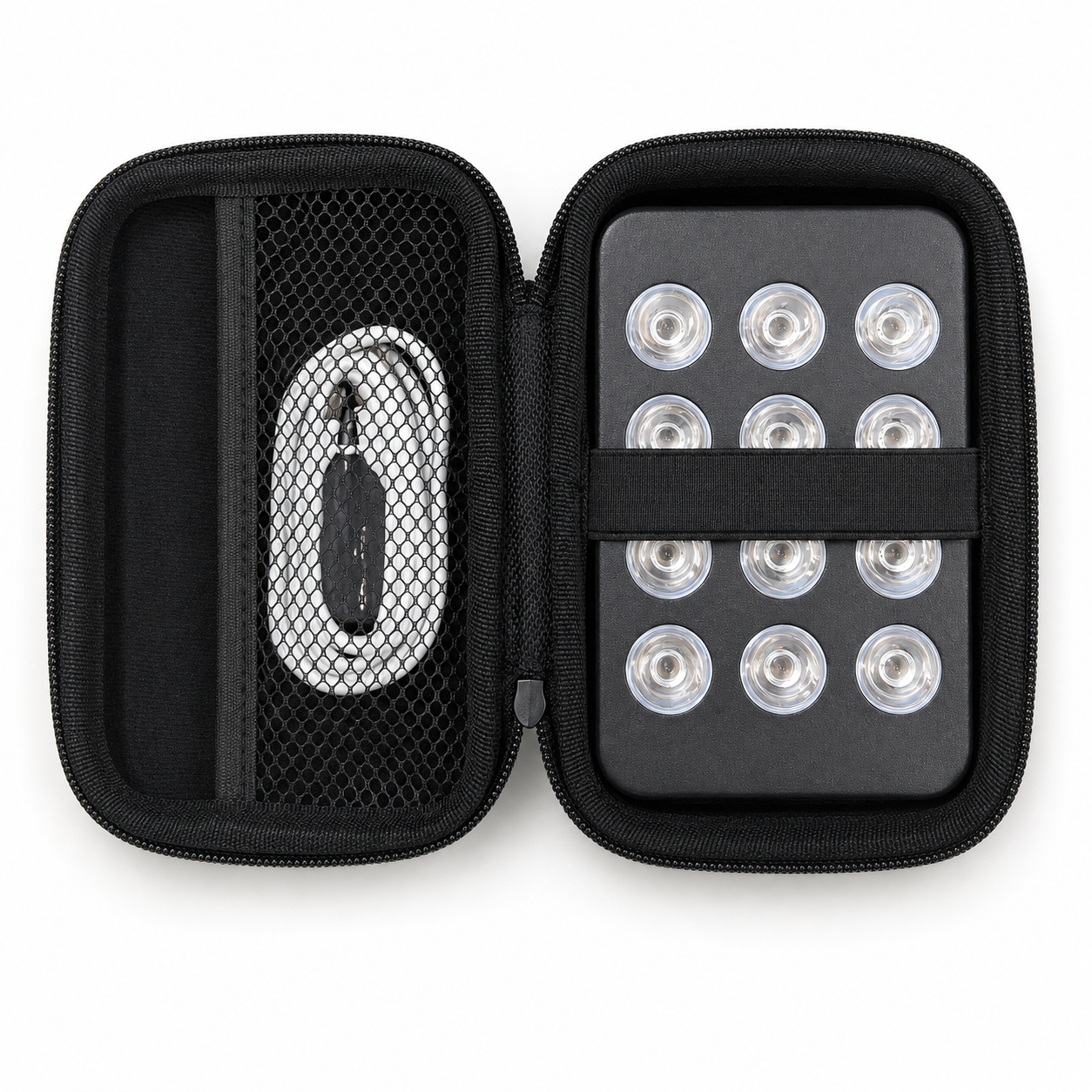 Carrying Case
Specifications
| Model | Piri Portable |
|---|---|
| LED Technology | 5W, Dual Chip |
| LED Count | 12 |
| Wavelengths | 1 Red / 1 NIR: 660nm, 850nm |
| Category | Home Use |
| Dimensions | 130×85×30 mm |
| Weight | 0.56 kg |
| Beam Angle | 30 degrees |
| EMF Radiation | 0.0 μT |
| Power source | Rechargeable: 130-minute battery life |
| Lifespan | 100,000 hours |
| Brightness Control | Yes |
| Timer | No |
| Remote Control | No |
| Pulse Control | No |
| Wavelength Group Selection | No |
| Preset Memory | No |
Compare with the current Piri Portable product page.
Setup & Controls
Follow these instructions to set up and use your Piri Portable.
Initial Setup
Charge the device first
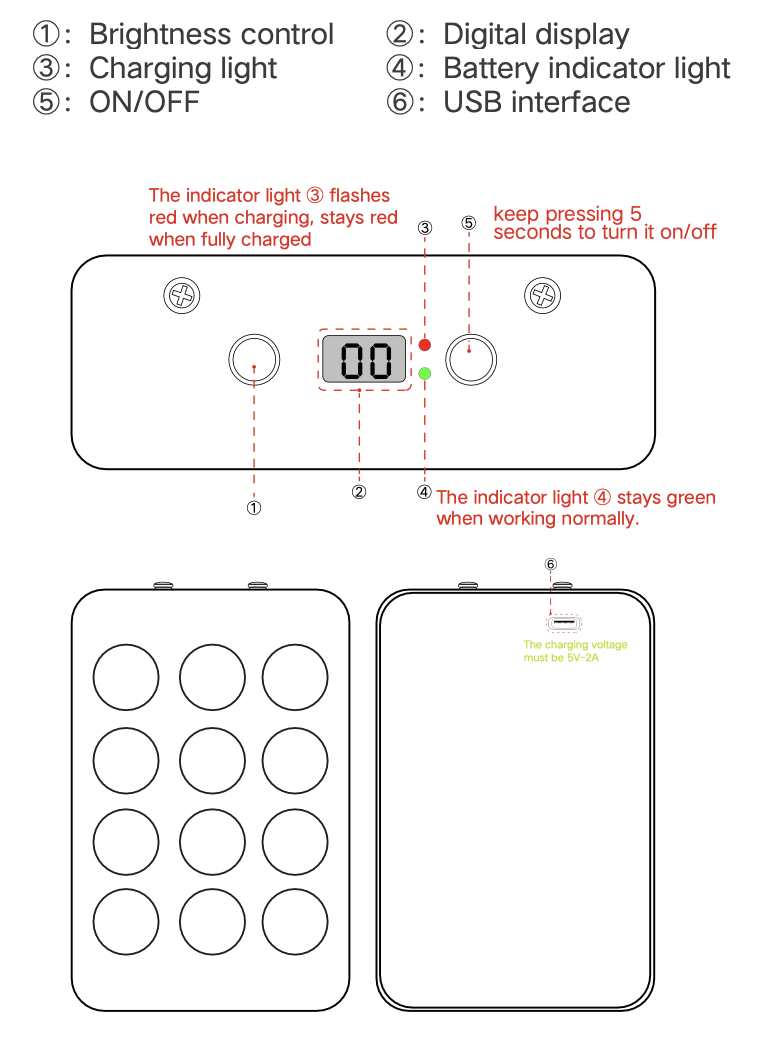
- Connect the USB cable to the charging port (⑥)
- Use a 5V-2A charger for proper charging
- The charging indicator light (③) will flash red during charging
- When fully charged, the light will stay solid red
Powering On
Turn on the device
- Press and hold the ON/OFF button (⑤) for 5 seconds
- The battery indicator light (④) will turn green when the device is working normally
Adjusting Settings
Set your desired brightness
- Use the brightness control button (①) to adjust the light intensity
- Monitor the digital display (②) to see your current settings
- Start with a lower intensity for your first sessions
Treatment Session
Position the device
- Place the device at the recommended distance from your skin
- Ensure the red light covers the area you want to treat
After Use
Power off the device
- Press and hold the ON/OFF button (⑤) for 5 seconds to turn off the device
- Store the device in a safe, dry place
Session Guidance
Before you start
- Use the device in a dry location and keep its ventilation openings clear.
- Check your device and cable for damage before use.
- Never look directly into the LEDs. Follow the device’s eye-protection instructions.
- Stop using the device if you experience discomfort or an adverse reaction.
Distance, duration & frequency
Refer to the product page for device-specific session guidance and published measurements. If the instructions conflict, contact support before continuing.
Do not calculate session time by assuming that every panel follows a simple inverse-square relationship. Use measurements at the stated distance for your model.
Health questions
The device manual does not replace medical advice. Consult a healthcare professional if you are unsure whether light therapy is appropriate for you.
Irradiance & Coverage (Output)
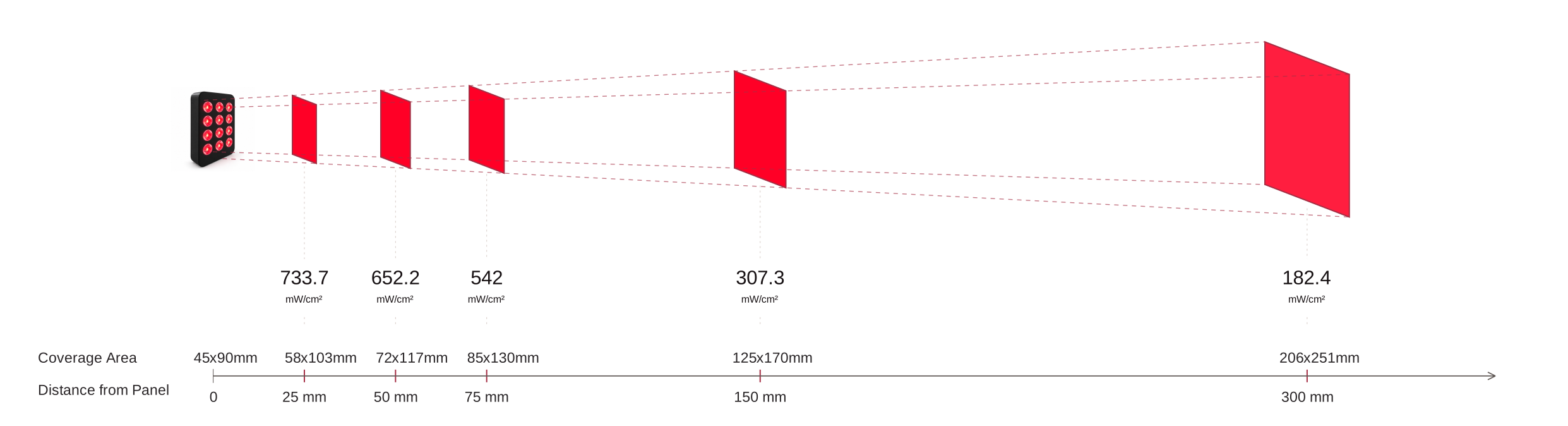
Coverage Area · Distance from Panel
Scroll horizontally to see all distances.
Choose guidance for your exact device. A portable panel and a full-size panel do not have interchangeable output or coverage.
Values vary with distance and measurement method. These measurements describe light output, not a treatment prescription.
Maintenance And Safety
Storage & maintenance
- Store the device in a dry and cool place
- Avoid moisture and extreme temperatures
- Wipe the surface with a clean cloth when needed
- Ensure ventilation openings and connections are free from dust and dirt
- Avoid opening or modifying the device yourself
Recycling
When the device has reached the end of its lifespan, it should not be disposed of with regular household waste.
Deliver the device to an approved collection station for electronic waste, or follow local regulations for recycling.
About The Light
Your device uses red and near-infrared light. The wavelength values identify the light emitted; they do not, by themselves, define a session duration or guarantee a result.
- Red light
- 660 nm. Visible red light.
- Near-infrared light
- 850 nm. Light that is not readily visible to the eye.
For further reading, visit Piri Red’s learning library. For your device’s measured output, see specifications.
Disclaimer
This product is not intended to diagnose, treat, cure or prevent disease. The information in this guide does not replace professional medical advice. Contact a doctor if you have questions about your health or how to use the device.
FAQs
How do I know I have the right manual?
Match the model on your device label. Similar names can refer to different generations. Check the model identifier and specifications for your hardware revision. If you are unsure, contact support with a photo of the label.
Why do some LEDs look dim or unlit?
Near-infrared light is not readily visible. See Specifications for this model’s published wavelengths. If you suspect a fault, contact support rather than judging output by visible brightness alone.
Where can I find session settings for this device?
Read setup & controls and session guidance. You can also consult the product page.
Can I save or print the manual?
On desktop, use Print / Save PDF in the left menu. On mobile, Share opens your device’s available sharing apps; use the browser’s Print option to save a PDF. To keep every manual and its diagrams offline, download the ZIP from the manual library.
What if an accessory is missing or the device is damaged?
Keep your order details and contact Piri Red. See the returns policy for current reporting requirements.
Warranty & Support
2-year limited warranty
The warranty covers material and manufacturing defects under normal use. Keep your proof of purchase and contact Piri Red for a claim.
30-day returns
The store’s return period runs from the purchase date. Eligibility, condition, packaging and proof-of-purchase requirements apply.
For current terms and the returns process, read the warranty, returns & refunds policy.